Can YouTube Live have multiple audio tracks or captions?
No. A YouTube livestream carries one audio track and one caption track. Automatic live captions are English only, auto-translated captions only appear on the replay, and live AI dubbing has been announced but doesn’t exist yet. Almost everything that makes a video multilingual works for uploads only.
| Uploaded video | Livestream | |
|---|---|---|
| Several audio tracks | Yes, with advanced features enabled | No |
| Automatic captions | Many languages | English only |
| Your own captions | One track per language | One track in total |
| Auto-translated captions | Yes | Only on the replay |
| AI dubbing | Yes, up to 120 minutes | No |
What livestreams are missing
- Multiple audio tracks: Since 2025, uploaded videos can have audio tracks in other languages; livestreams can't. Every viewer hears the same track (YouTube Help).
- Captions: Automatic live captions exist in English only (YouTube Help). You can send your own, but only as one track per stream, so in one language (YouTube Help).
- Auto-translate: only works on the replay. YouTube has announced live dubbing as a pilot for 2027; today it doesn't exist (YouTube blog, 23 Sept 2026).
Three ways to translate your stream today
- One stream per language. You run a second stream with the translated audio, on the same channel or a second one. It works, but views, chat and replays are split, and every stream needs its own setup.
- Captions in the picture. Translated captions are laid over the video in your streaming software. Everyone sees them, on every platform, but only in one language.
- A listener link for viewers. You show a link or QR code in the stream. Viewers open it on their phone and choose their language there, for audio and captions.
Streamlingo lets you use all three, on their own or combined. How the translation itself works is shown in How it works.
Translate your livestream into more than 80 languages.
Captions in the picture, audio on every viewer's phone.
This is what AI translation with Streamlingo sounds like
How it works with Streamlingo
Streamlingo listens to the speaker's microphone and translates into the languages you've set up, as speech and as captions. Three ways take the translation to your stream audience. Does your church stream its service on YouTube? Our guide Translate your church service covers the rest.

- Captions in the pictureOverlay address per languageOBS, vMix or ProPresenterYouTube Live
Everyone sees one language in the video.
- Audio on the phoneListener link with delayQR code or link in the streamViewers' phones
Everyone picks their own language, in sync with the picture.
- Audio in the streamListener link in OBSBrowser source as audio sourceOne stream per language
Viewers hear the translation right in the video.

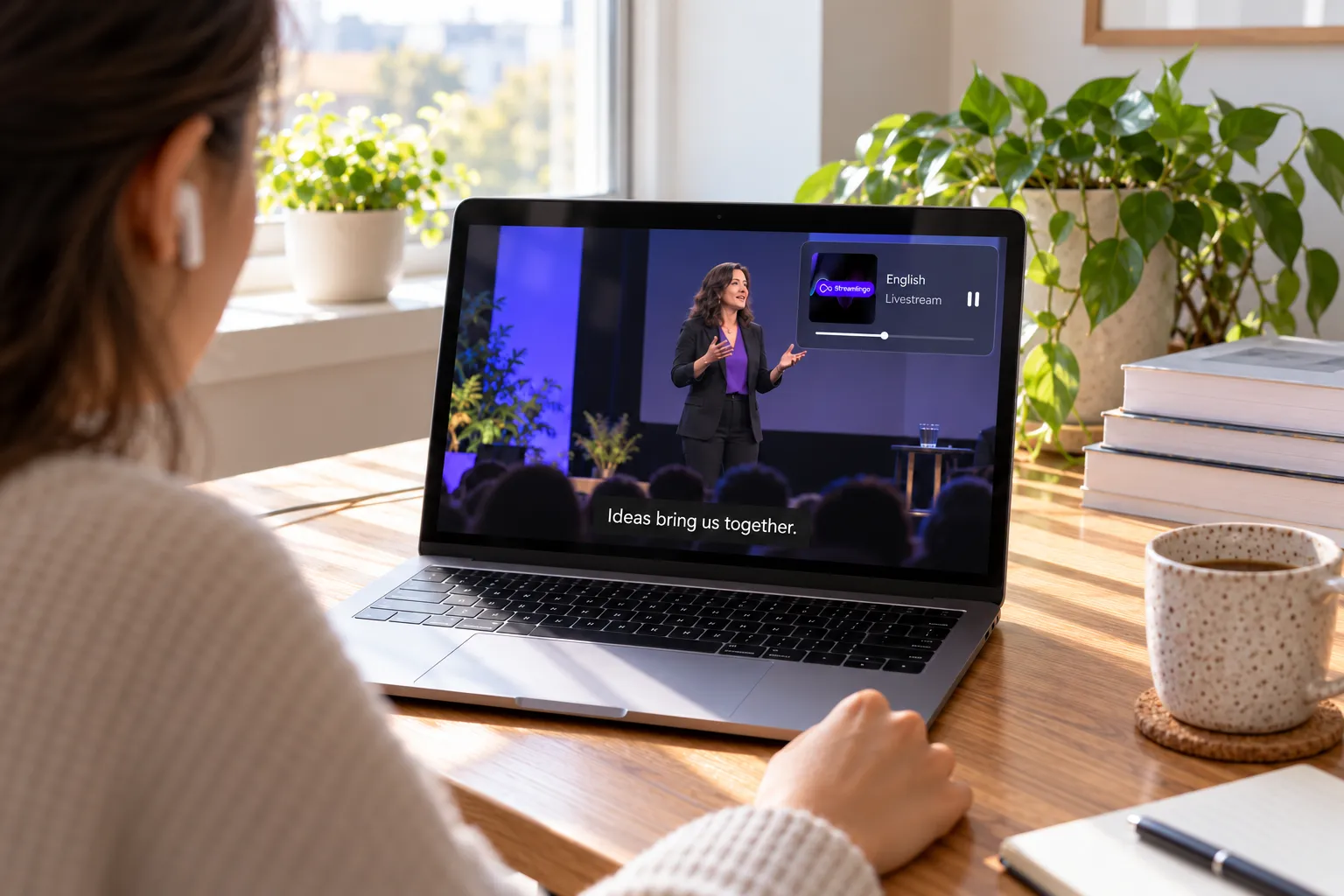

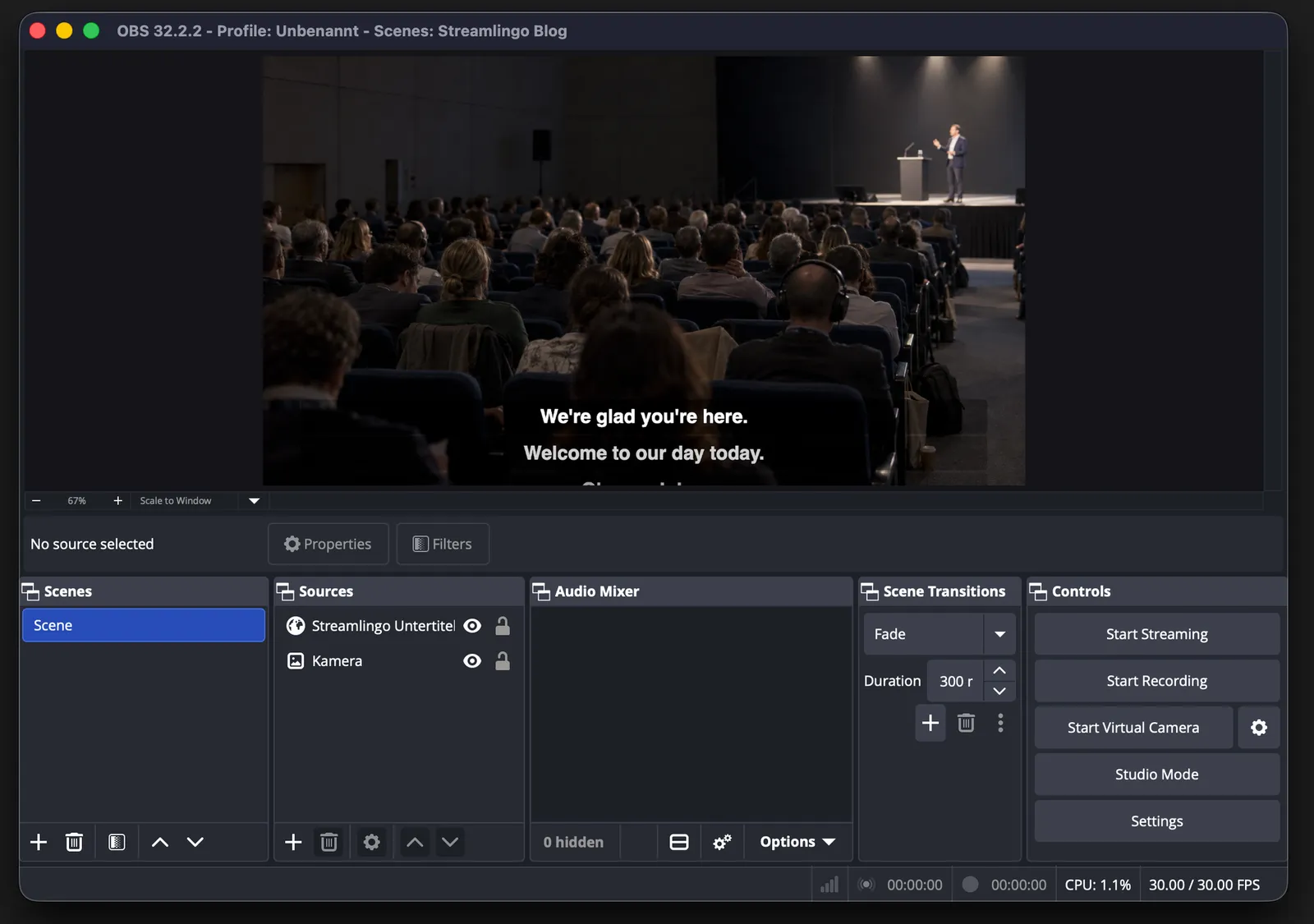
Captions in the picture
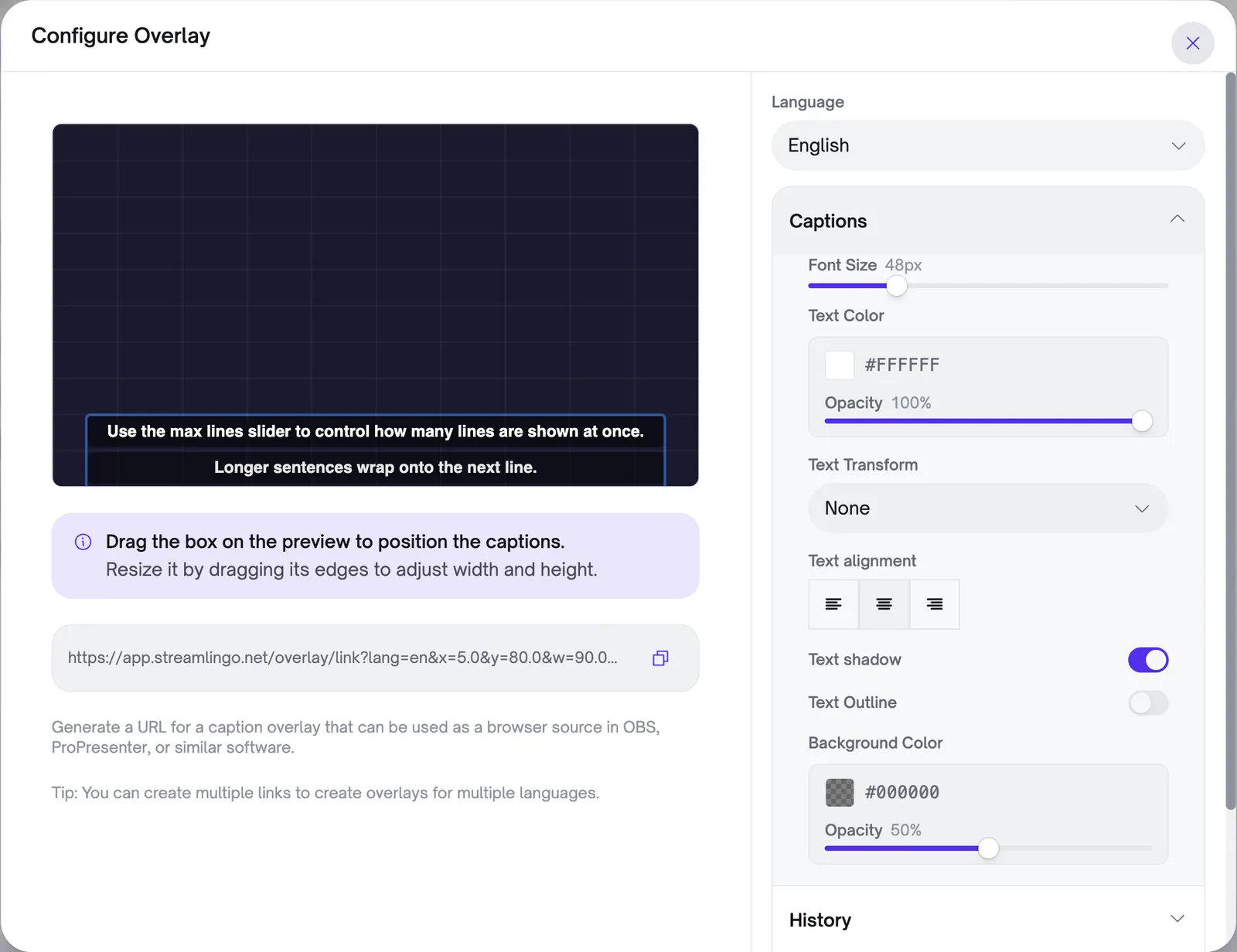
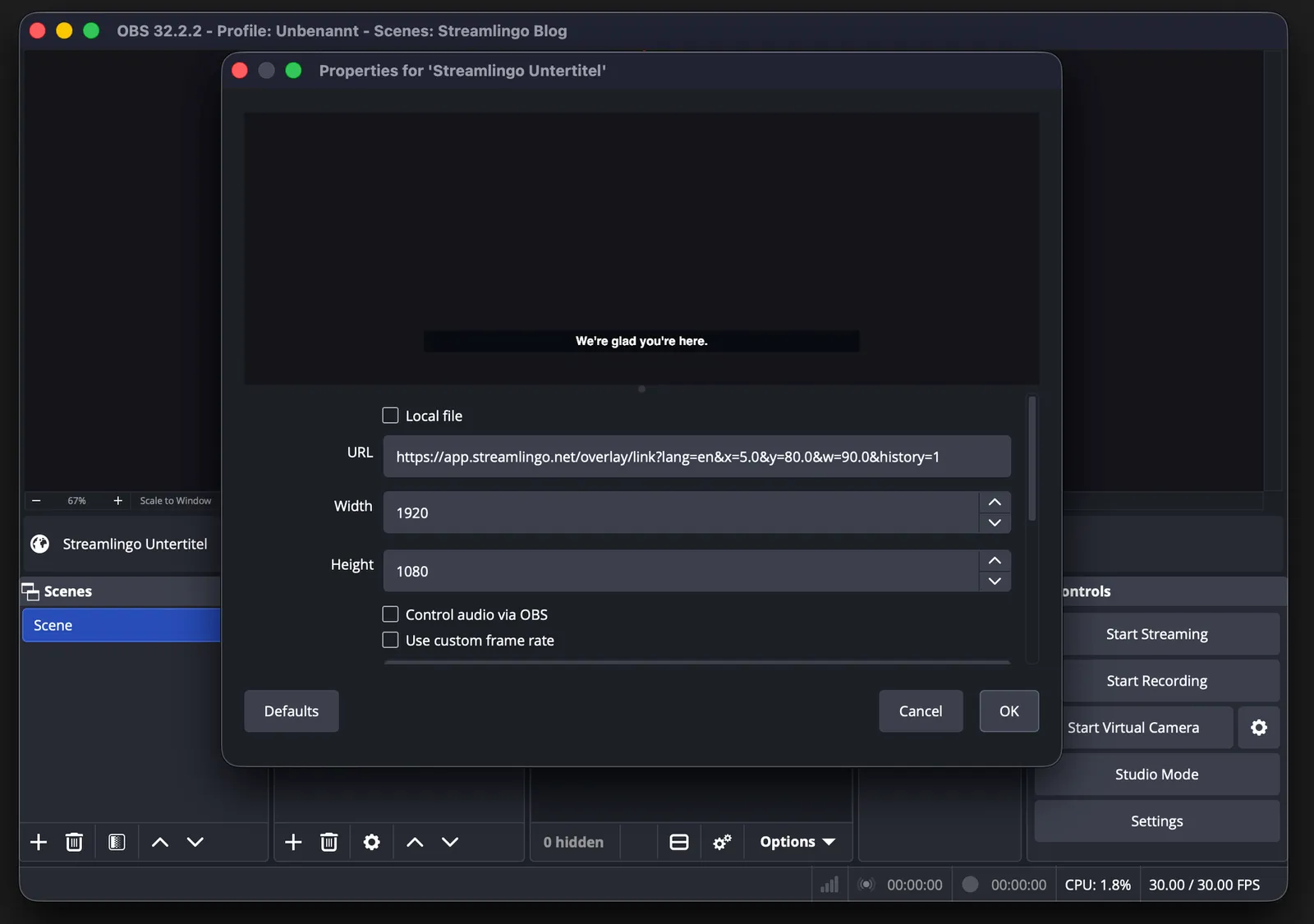
Each language gets its own overlay address. You set it up in the Streamlingo web app and add it as a browser source in OBS, vMix or ProPresenter.
In the Streamlingo web app: choose language, font, size and colour, drag the box into place, copy the address.
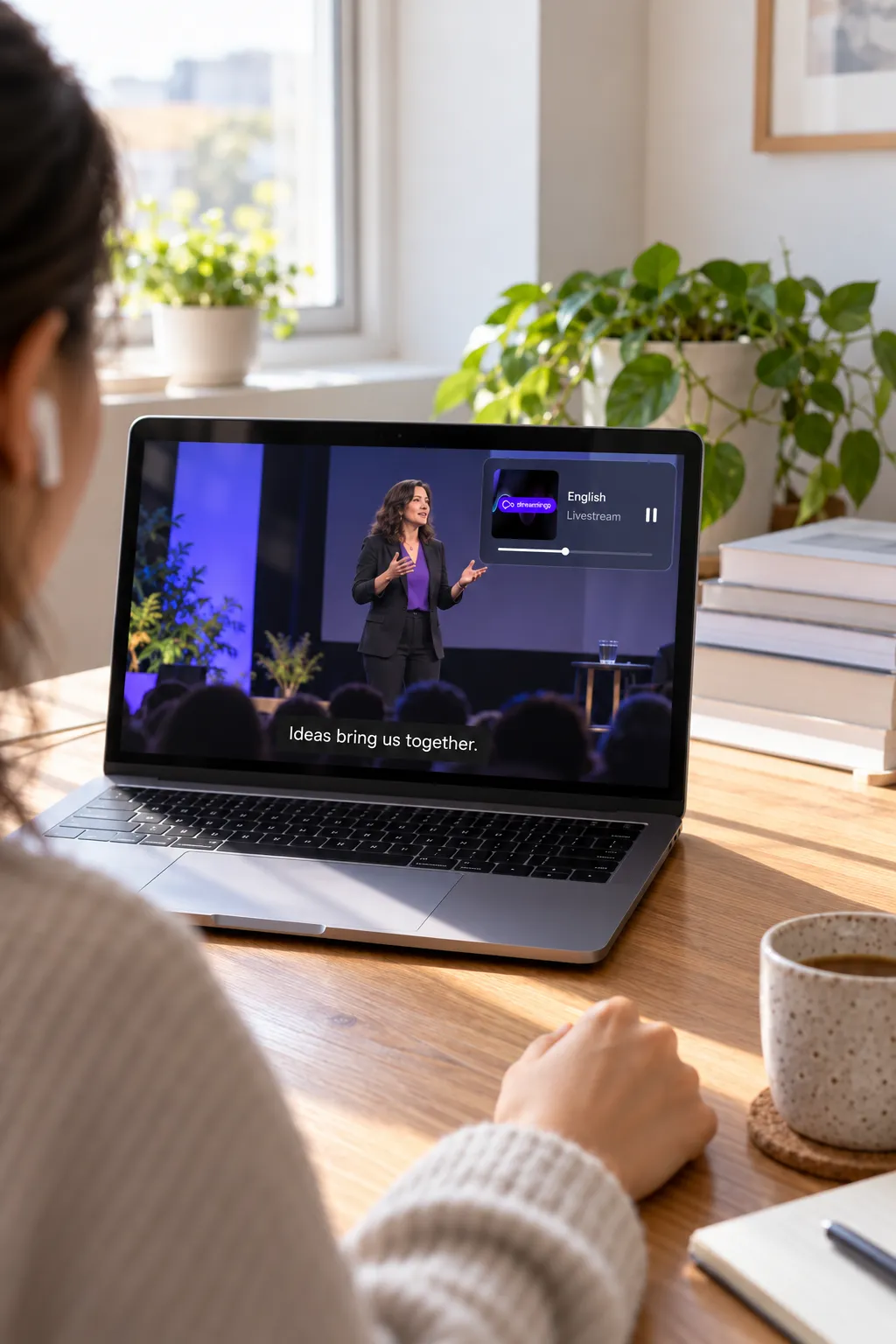
Audio on the phone
Viewers at home use the same link or QR code as guests in the room. A livestream reaches them 15 to 30 seconds after the room, though. That's what the listener link with delay is for: measure how far your stream lags, enter the seconds, and the translation on viewers' phones waits just as long. Share this link in the chat or the video description, or show it as a QR code in the stream. Guests in the room keep using the normal link. It also works on the same device: Streamlingo keeps playing in the background and appears in the device's own playback controls.

Audio in the stream
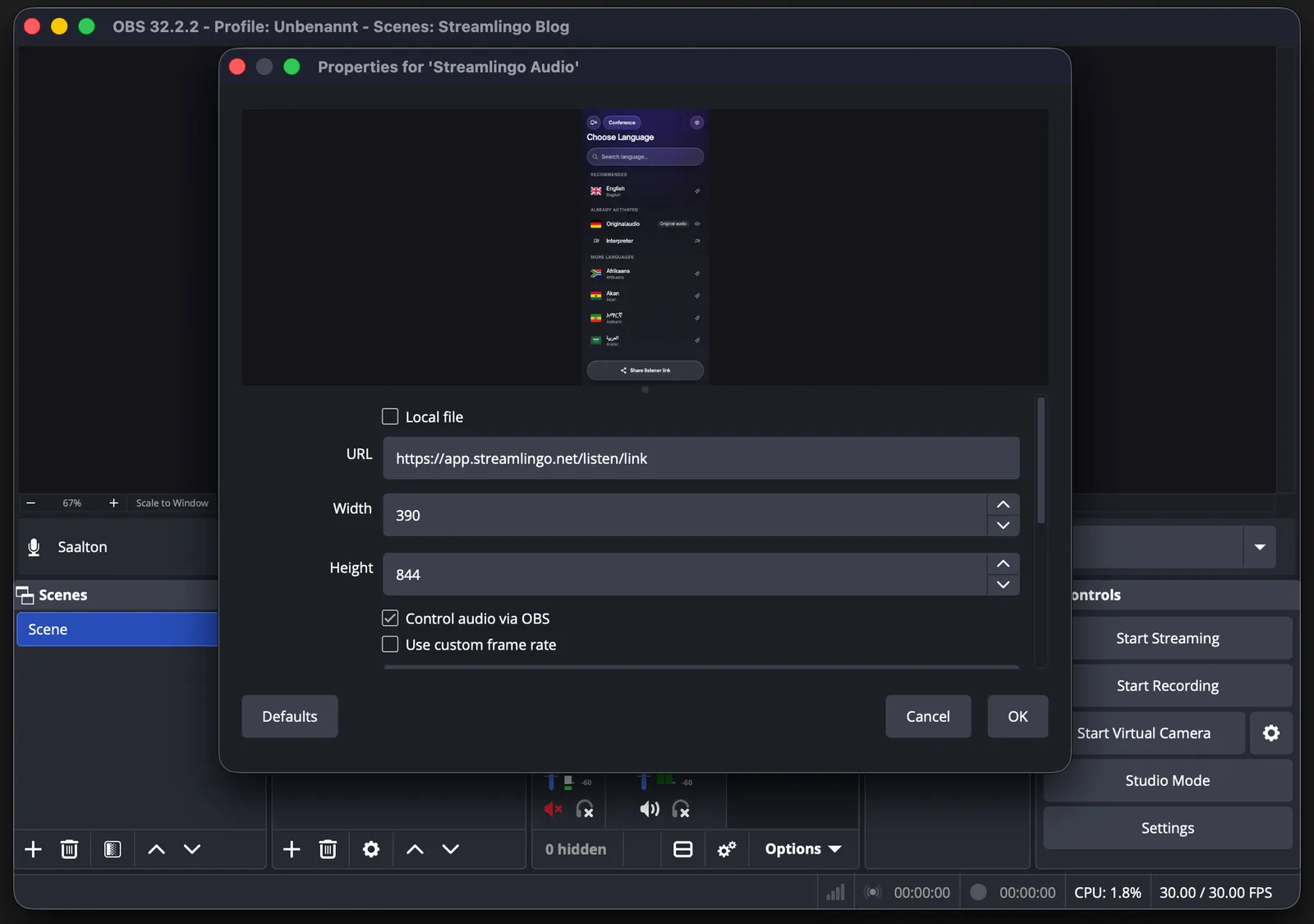
If viewers should hear the translation in the video itself, send a separate stream per language.
Add the normal listener link, without delay, as a browser source and tick “Control audio via OBS”.
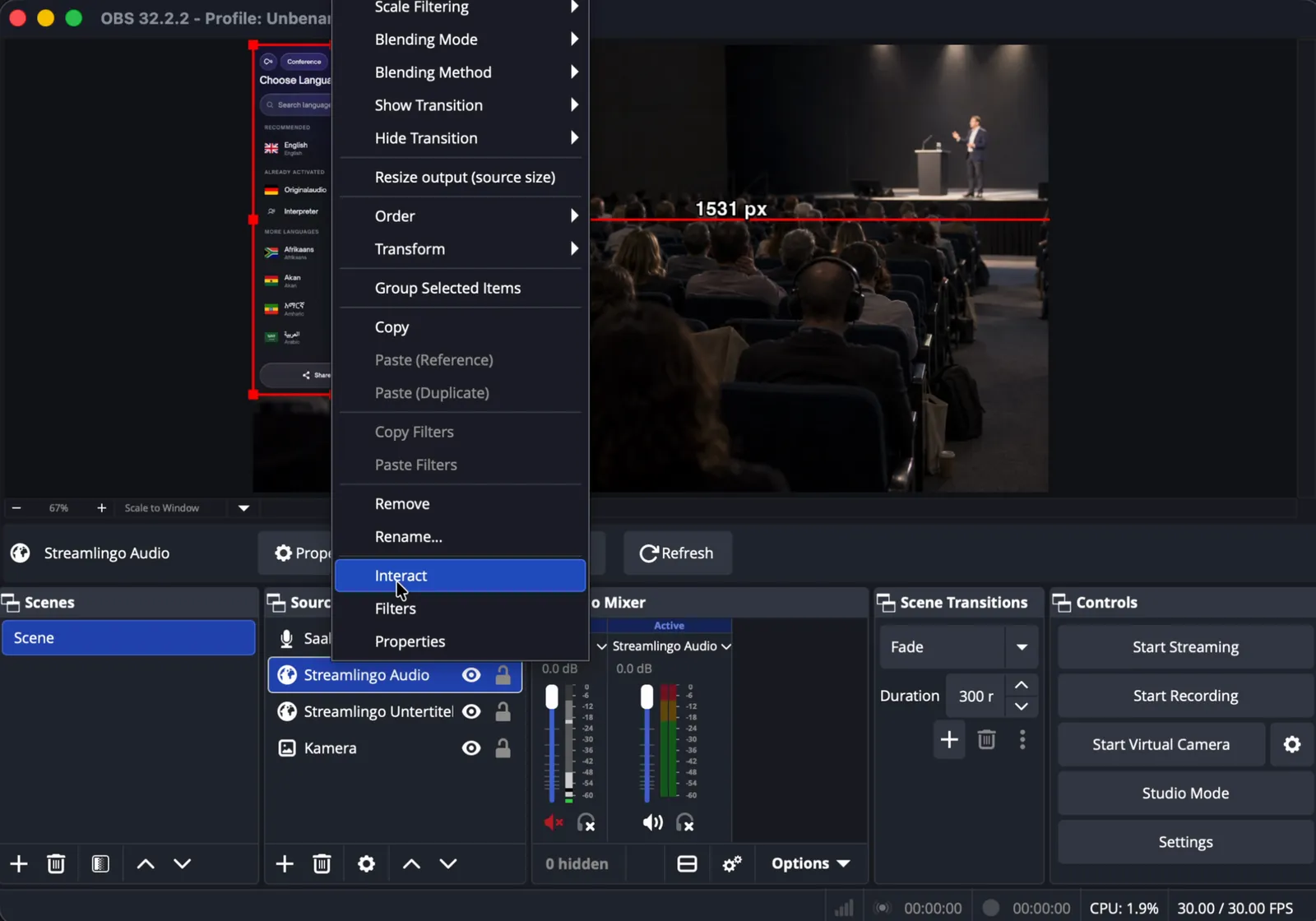
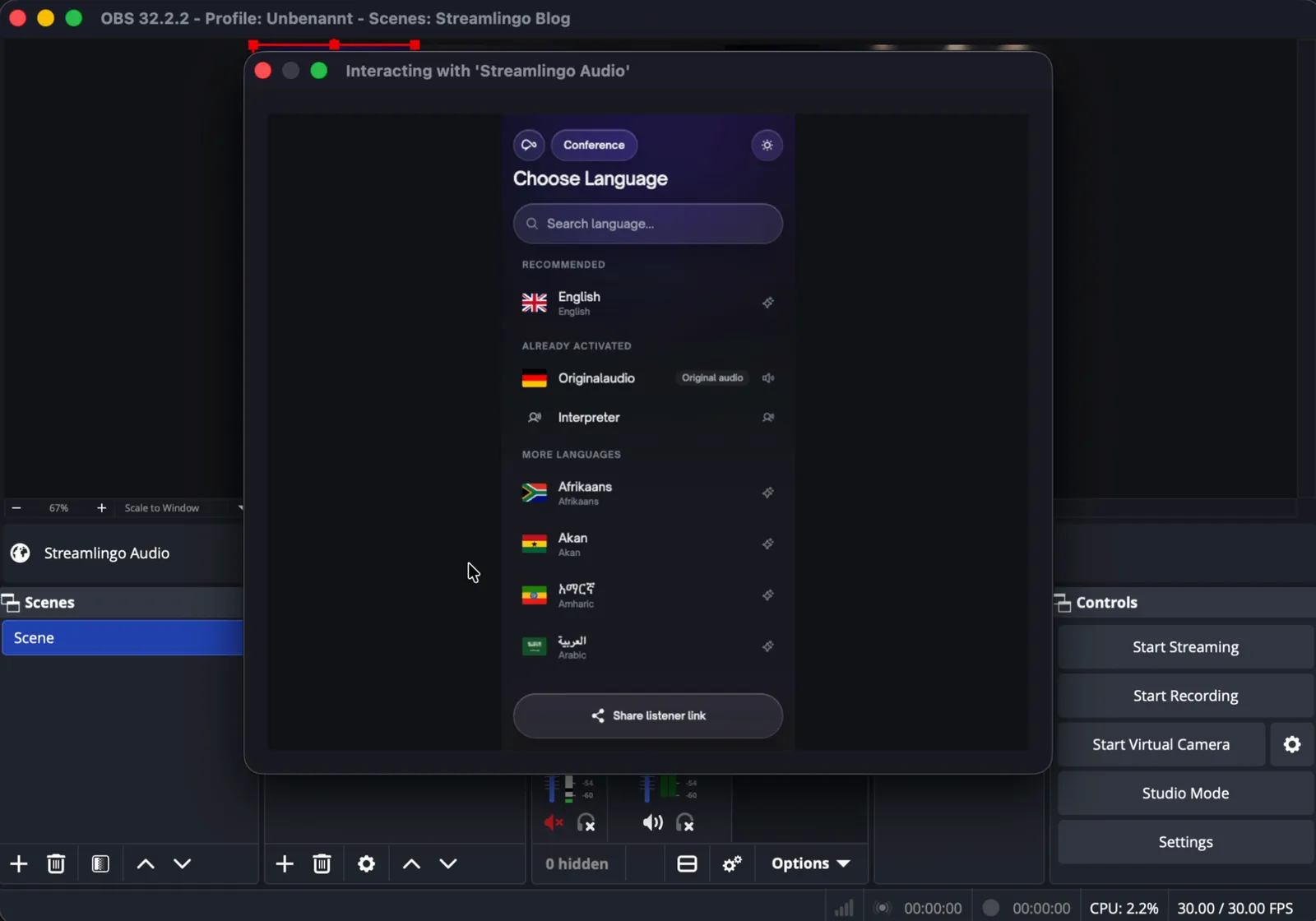
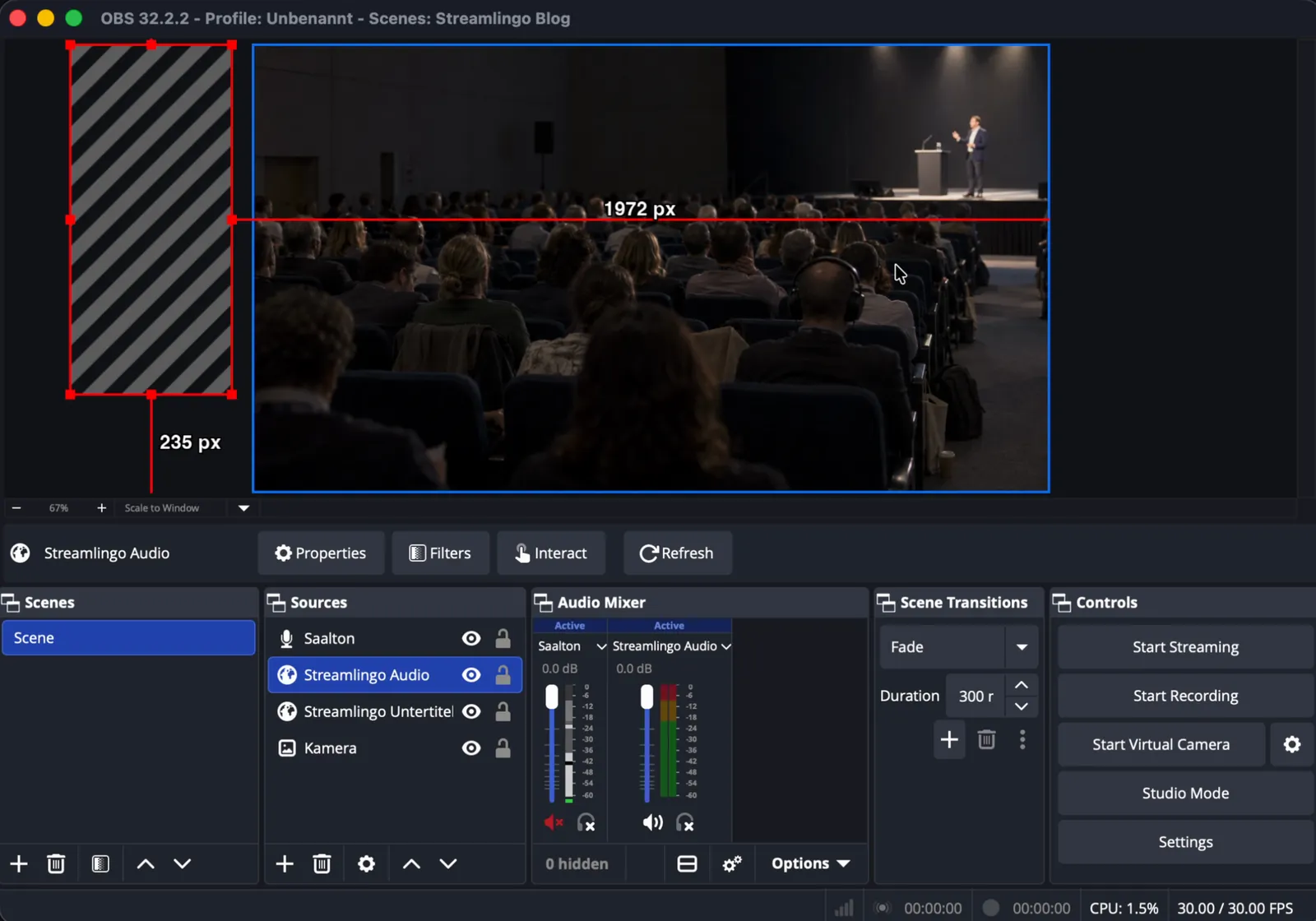
Send each language with its own stream key, on your channel or a second one. Each further language needs another OBS instance or a second computer. That limitation stays until YouTube offers multiple audio tracks for livestreams too.